You can now just tell the kitchen planner what to change
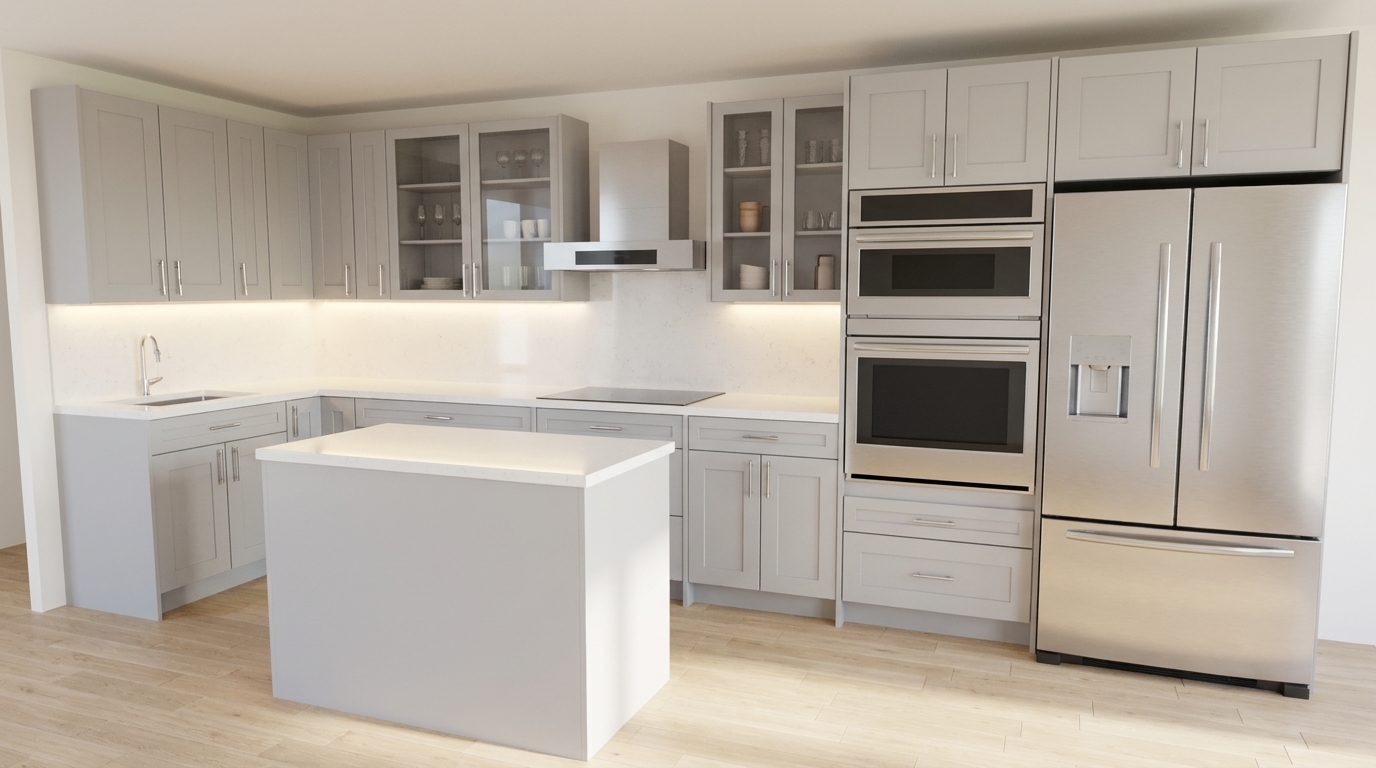
Flip Kitchen's free 3D planner now takes instructions out loud. Emma, the assistant behind the speech-bubble Ask Emma button in the 2D toolbar, could already answer questions about the design on your screen; as of this month she can also change it — add a cabinet beside another one, slide it two inches along the wall, take one out, undo it, and save or reopen your work. The kitchen in this render is exactly the sort of layout the feature was built for: a light grey Shaker L with a compact island, a wall-oven tower, and glass-front uppers flanking the hood, where half the work is nudging things an inch or two at a time.
Every cabinet has a number — and it is the number already on your screen
The hard part of talking to a design tool was never speech recognition. It is addressing: how do you say which cabinet you mean, out loud, without turning every sentence into a description?
The planner already prints an item list with a number against every cabinet and appliance in the room. The assistant now reads from that same list, so "number seven" means the same object to both of you. Ask her what is in the kitchen and she reads back each item with its number, its catalogue code, its width and the wall it stands on. Ask her to show you number seven and it highlights on screen, and nothing else happens.
That separation is deliberate. Pointing is not editing. You can confirm that you are both looking at the same cabinet before anything moves, which is the difference between a tool you trust with your layout and a party trick.
Add, move, remove — and the reason there is no swap
Adding a cabinet is always relative: the catalogue code, the item it goes beside, and the side — left, right, above or below. That is exactly what the planner's own Add Left and Add Right buttons do, so the new cabinet lands snug against its neighbour with no gap to tidy up afterwards.
There is deliberately no way to place a cabinet at an absolute position. On a wall that is already full there are no spare inches to address, and a number spoken into a full run is a guess. If the room is still empty you start somewhere else entirely: ask what to do next, and the planner recommends the first cabinet itself.
Moving slides an item along its wall by an inch amount you give, or changes a wall cabinet's height off the floor. The planner refuses a move that would push a box into its neighbour, and the refusal is read back to you as a reason rather than swallowed.
Changing one cabinet for a different one is two operations rather than one: the old cabinet comes out, and the new one goes into the gap it left. That is not something the assistant is hiding. Removing anything renumbers everything after it, so the removal hands back the freshly renumbered gap and the replacement goes straight into the same spot — which is precisely the step a person doing this by voice would get wrong.
The Ask Emma button is the billing light
A call comes in one of two modes, and the Ask Emma button is where you read whether one is running. Talking is free on the Pro, Designer and Studio plans and runs on a daily allowance otherwise; letting her edit the design is paid for by the minute. Either way the state of the microphone should never be something you have to guess at, so it is drawn into the button instead.
Unlit means she is not listening and nothing is being spent. Lit green means the microphone is live. In 3D, where the toolbar is out of sight, a small status bubble in the corner does the same job, and holding the mouse down on the canvas fades it out of the way, because the seconds when you are actually placing a cabinet are the seconds she should not be in your field of view.
In editing mode the same fifteen seconds ends the call, but the hang-up does not land the moment the silence comes due: it waits for the next whole minute of the call. Go quiet at 3:20 and the call ends at 4:00; go quiet at 3:59 and the fifteen seconds are not up until 4:14, so it ends at 5:00. Your hands are on the mouse in that mode, and the seconds while you drag a cabinet into place are silent by nature — cutting you off there would be cutting you off mid-work, so aligning the hang-up to the minute gives you up to another minute to speak up while guaranteeing the line never carries on into a new minute. A talking call does not wait even that long: fifteen seconds without a word and she simply hangs up on the spot, which is why talking can be free at all.
What it will not do
It will not place a cabinet at an absolute position, change a door colour, a finish or the countertop, resize a cabinet, or move a wall. It will not tell you whether your kitchen looks nice, and no microphone changes the fact that measuring the real room is still your job with a tape.
It also changes only what you asked for in that breath — one cabinet at a time, followed by a short sentence saying what it did. When a change is impossible, the reason comes back in plain words: no room on that side, nothing by that number, not signed in. Nothing is quietly retried with a different cabinet.
Right-clicking the Ask Emma button opens a typing panel instead, which is free and needs no microphone. It answers questions; it cannot edit. Editing is an editing-mode call's job alone.
Free on Pro, thirty minutes a day otherwise — and nothing recorded
Talking to Emma is free outright on the Pro, Designer and Studio plans; every other account gets thirty free minutes a day, resetting on the Toronto calendar day, and after that a call runs on GH Coins. A plain talking call hangs up on its own after fifteen seconds of silence, so a call you walked away from stops costing anyone anything. Letting Emma edit the design while you talk is a separate mode you switch on, and it runs about half a GH Coin a minute.
Talking to Emma by voice is not recorded at all. The audio goes straight from your browser to the speech provider and never reaches us, and we do not keep a transcript of it. Typed conversations are kept, and that difference is written into our privacy policy rather than into a marketing sentence.
Voice needs an account and a microphone; typing needs neither. She works in English, Mandarin Chinese or French. Everything above happens inside the same free 3D planner that draws the room, places real cabinets at real sizes, and prices the result.